Download World Cup Highlights
Save World Cup highlights and goal clips from Instagram, TikTok and other video sites as MP4 — for offline viewing. A free browser extension for clips you can already watch on public, official channels.
Why use it for World Cup clips
One-Click Highlight Download
Save World Cup highlights and goal clips from Instagram Reels, TikTok, X and other video sites with a single click — no copy-pasting links.
HD up to 4K MP4
Download in the best quality the source offers — up to 1080p and 4K — saved as a universal MP4 you can play anywhere offline.
Goals, Reels & Match Recaps
Grab individual goal clips, full highlight reels, player compilations and post-match recaps from public channels.
Save Reels & TikToks Clean
Download Instagram Reels and TikTok football clips without the watermark, where the source allows it.
Public & Your Own Content
Works on public official channels and on content you posted yourself. Save clips you can already watch — for personal offline viewing.
Always-Current Engine
A cloud AI engine keeps format compatibility up to date across sites. DRM-protected services (e.g. FIFA+ Widevine, paid broadcaster apps) are not supported.
How to Download World Cup Highlights
- 1
Install & Pin
Add Video Downloader One-for-All to Chrome or Edge and pin it to your toolbar.
- 2
Open the Highlight Clip
Go to the official highlight or goal clip on Instagram, TikTok, X or any video site that you want to keep.
- 3
Click the Extension
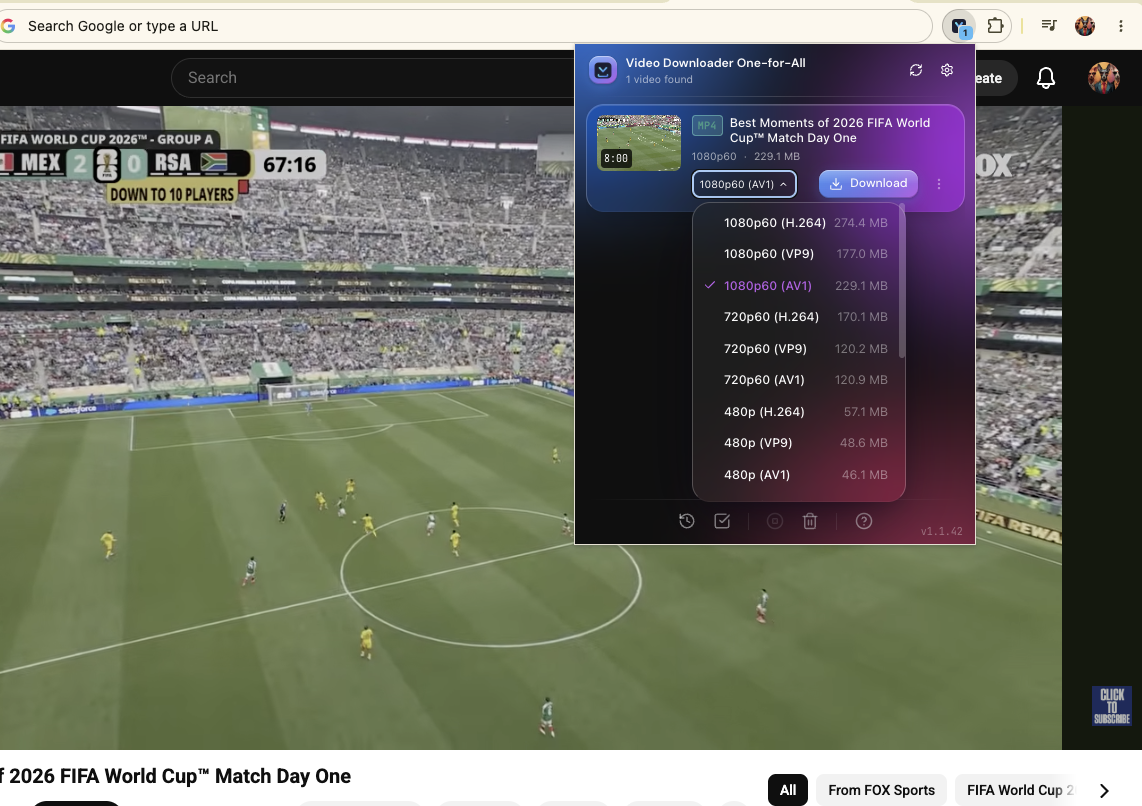
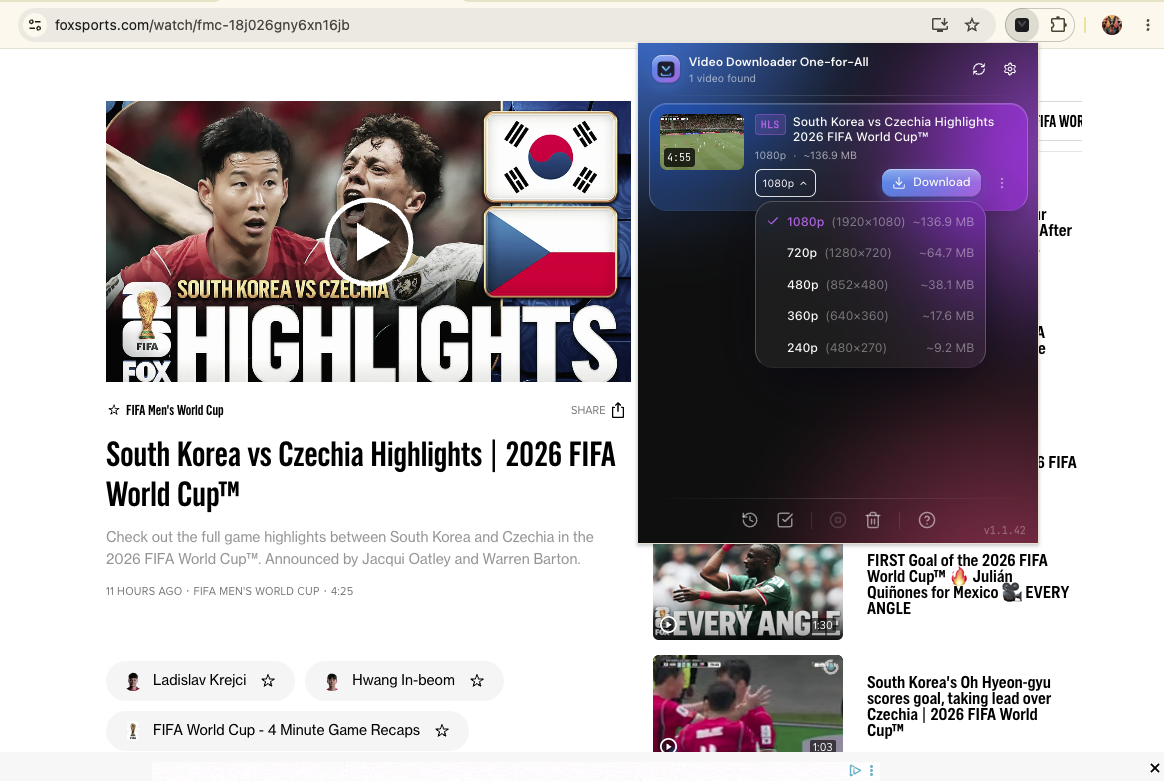
Click the extension icon — it detects the video and lists the available qualities.
- 4
Pick MP4 & Save
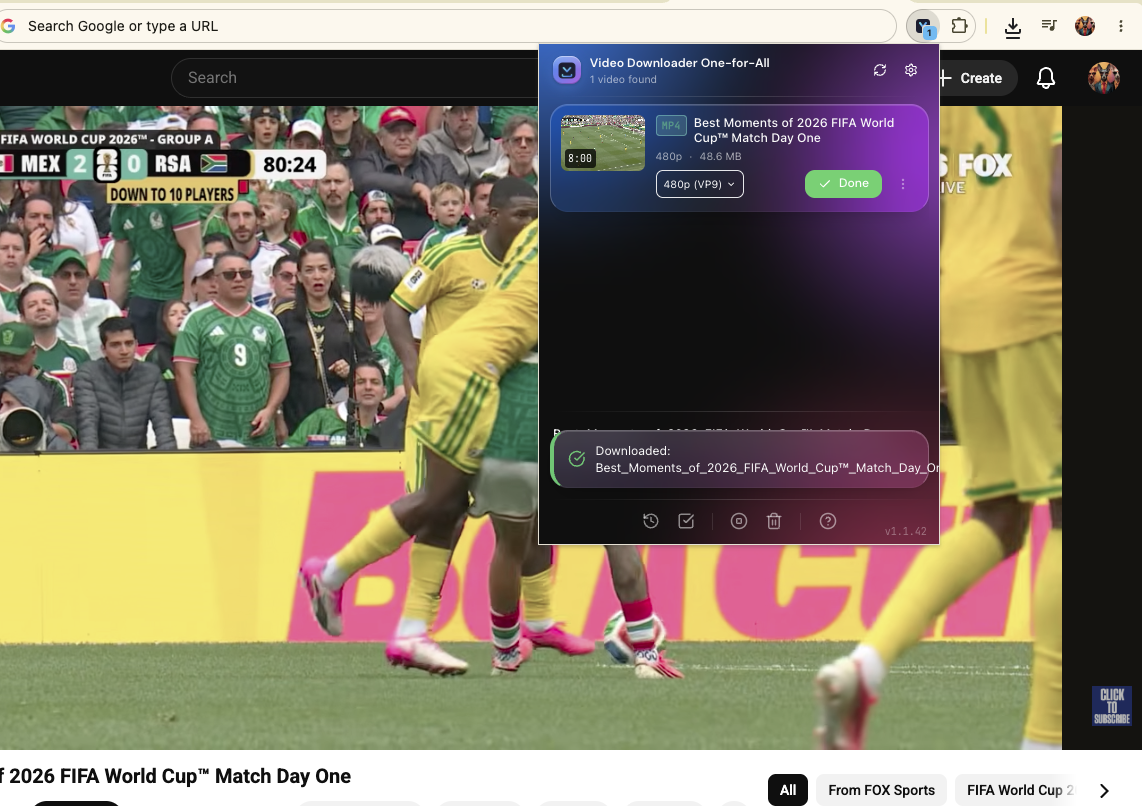
Choose your quality and download the clip as an MP4 to your device or gallery.
What people save
Watch Goals Offline
Save goal clips and highlight reels to watch on the go — on a flight, commute, or anywhere without internet.
Before They Disappear
Fan-uploaded clips often get taken down fast. Save the highlights you want before they vanish.
Re-download Your Own Posts
Lost the original of a Reel or TikTok you posted? Download your own clip back in full quality.
Footage for Fan Edits
Save clips for your own edits and compilations. Always respect each platform’s terms and the rights holder’s copyright.
Save to Phone Gallery
Send a goal clip straight to your camera roll to share in chats or keep on your device.
Catch Up on Missed Goals
Missed a match? Download the recap and goal compilation to relive every moment on your own time.
Where to find official highlights
Use this tool to save clips you can already watch on these public, official channels. We don’t host any footage and we don’t link to pirated streams.
FIFA+ — official highlights
Free, publicly available recaps and goal reels. DRM-protected full content is not supported.
FIFA World Cup — official social
Official goal clips and highlights posted on the tournament’s own accounts.
Broadcaster channels
Match-day highlights on the official broadcaster sites for your region.
FOX Sports ↗ Telemundo ↗ ARD Sportschau ↗ ZDF Sport ↗ BBC Sport ↗
Team & league social
Official national-team and competition accounts on Instagram, TikTok and X.
Supported platforms & output
Download from
- Instagram Reels & posts
- TikTok
- X / Twitter videos
- Short-video & public video pages
- 1000+ supported video sites
Output
- Format: MP4 (H.264 + AAC)
- Quality: up to 4K / 1080p
- Watermark-free where the source allows
- Not supported: DRM-protected apps (FIFA+ full matches, paid broadcasters)
Frequently Asked Questions
How can I download World Cup highlights for free?
Install the free extension, open an official highlight or goal clip on Instagram, TikTok, X or another video site, then click the extension and save it as an MP4. There is no cost and no signup for downloading public clips.
How do I save a goal clip to my phone?
Open the clip in your mobile browser (or save on desktop and transfer), click the extension, pick a quality, and the MP4 saves to your device. From there you can move it to your gallery / camera roll.
Is it legal to download football highlights from social platforms?
Downloading official, publicly posted highlights for personal, non-commercial offline viewing is generally fine. Redistributing copyrighted footage, or downloading DRM-protected or live content, is not endorsed and not supported by this tool. Always follow each platform’s own terms of service.
Can I download full live matches or live streams?
No. This is a highlights and goal-clip downloader for public, on-demand videos. It does not rip live match streams and cannot download DRM-protected broadcasts (FIFA+ full matches, paid broadcaster apps).
How do I save a TikTok or Instagram football clip without the watermark?
Open the Reel or TikTok, click the extension and choose download — where the source allows it, the clip is saved clean as an MP4.
Where can I find official World Cup highlights to download?
Use public, official channels: FIFA’s official channel, FIFA+ free highlights, broadcaster channels (FOX, Telemundo, ZDF/ARD, BBC) and official team / league social accounts. This tool simply saves clips you can already watch there.
Start saving World Cup highlights
Free browser extension. One-click downloads, MP4, offline.
Not affiliated with, endorsed by, or sponsored by FIFA. “World Cup”, “FIFA” and related marks are trademarks of their respective owners. This extension does not host or stream any content; it helps you save publicly available clips you are authorized to access.